Your app on every client's phone, in 3 taps
A personal training app for clients that installs from your link. No store download, no waiting on store review and no app store fees on what you sell.




 Kahunasben.kahunas.appKahunasben.kahunas.app/clientKahunas
- 1Share
- 2Add to Home Screen
- 3Add

An app store stands between you and your clients.
A new client signs up, then has to find the right app in the store, sign in and wait for the download. Every update waits on store review and on each client tapping Update. Sell through a store app and the store takes a cut of every payment. And it can pull the app without warning.
- Clients stuck at the downloadThey search the store, pick the wrong app or give up before they've logged a single workout.
- Up to 30% lost to store feesSell a package inside a store app and the store takes its cut of every payment your client makes.
- Pulled or held up without warningA store can remove an app or hold back an update, and your clients are the ones left waiting.
An app that installs from your link. No store in the way.
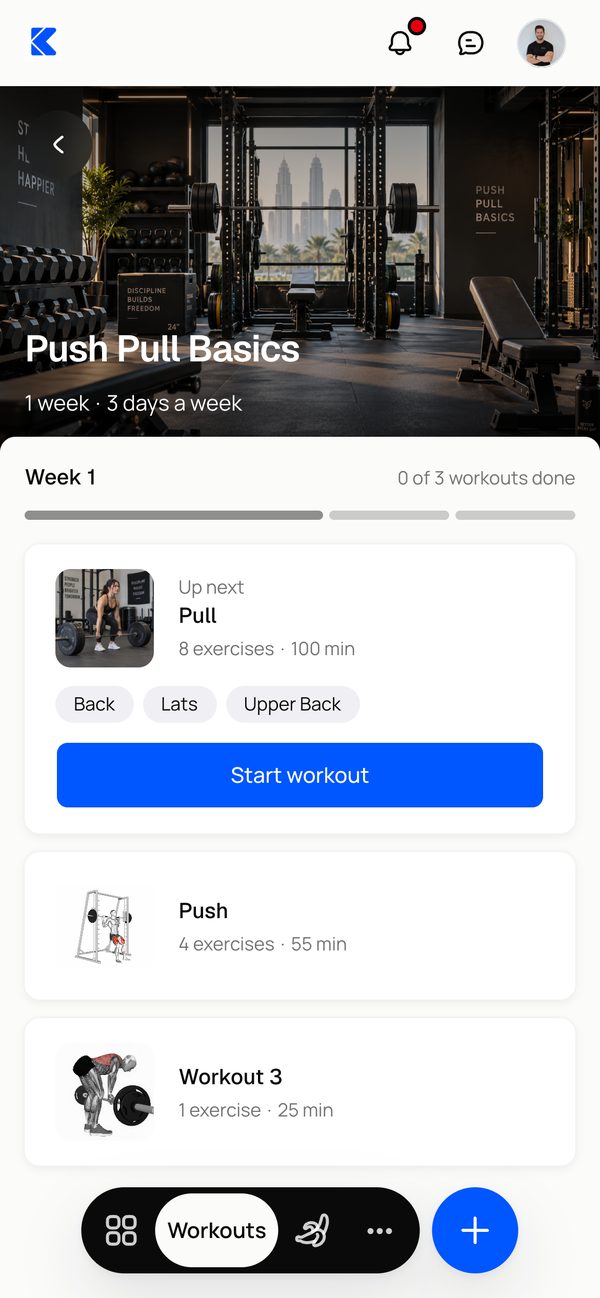
Their whole program in one app.
Workouts, meals, check-ins, progress and messages with you all live in one app. It opens full screen from an icon on their home screen, in light or dark mode.
- Opens full screen, like any other app
- Installs on iPhone, Android and computers
- Light, dark or matched to their phone
Kahunas- Home
- Workouts
- Nutrition
- Progress
- Messages
- Light
- Dark
- Match device
Keeps working when the signal drops.
A gym basement or a flight doesn't stop a session. Sets, cardio, meals, check-ins and weigh-ins save on the phone, then sync on their own once your client is back online.
- Log workouts and meals with no connection
- Check-ins and photos send when they reconnect
- Downloaded videos and files open offline
- Bench pressSet 3 · 80 kg × 8Saved on this deviceSynced
- LunchChicken salad · 472 kcalSaved on this deviceSynced
- Weekly check-in3 progress photosSaved on this deviceSynced
- Weigh-in82.4 kgSaved on this deviceSynced
- Squat techniqueVideo · 2:14Available offline
- Meal guidePDF · 1.2 MBAvailable offline
Push notifications, with quiet hours.
Clients turn on notifications and choose what they hear about, from check-in reminders to plan updates. Quiet hours pause alerts overnight, and unread ones show as a badge on the app icon.
- Check-in reminders and plan updates
- Quiet hours, so nothing buzzes at night
- An unread badge on the app icon
- Check-insReminders and updates about your check-ins
- WorkoutsUpdates when your training plan changes
- Quiet hoursPause notifications during set hoursStarts10:00 PMEnds7:00 AM
- KahunasnowCheck-in due todayYour weekly check-in is ready to fill in.
- KahunasnowTraining plan updatedBen made changes to your training plan.
2KahunasApp store apps, compared with the Kahunas web app.
Installed in 3 taps. No app store.
- Share1Tap ShareYour client opens your link in Safari, taps the menu, then Share.
- Add to Home Screen2Tap Add to Home ScreenIt's in the share sheet. Scroll down a little if it isn't showing.
- Add to Home ScreenAddKahunasben.kahunas.app/clientOpen as Web App3Tap AddLeave Open as Web App switched on, then tap Add in the corner.
- Kahunas4All doneYour app now sits on their home screen, one tap from their plan.
On Android, clients open your link in Chrome, tap the menu, then Add to Home screen.
Questions coaches ask. Answered.
Works well with
Put your coaching on every client's home screen
“Try Kahunas for 3 months, not just 14 days. If you're not satisfied for any reason, message us in the chat and I'll personally refund you the same day.”
 Mark · Founder of Kahunas