Your clients' app menu, built around how you coach
Pick the two tabs in your clients' bottom menu so Community, Courses or Content sit one tap away. A personalised coaching app that puts your method first, with everything else tucked under More.






- Workouts
- Nutrition
- Content
- Progress
- Calendar
- Settings

Your clients tap past features you don't even use.
You run your coaching around a community and a course, but the app opens on tabs built for a different method. Clients hunt through menus and miss the lesson you posted, while the parts that set you apart stay out of sight.
- Your best features, buriedYour community and courses sit behind a More menu, so clients rarely find them.
- Tabs you don't coachIf you don't write meal plans, a Nutrition tab still takes the best spot in the menu.
- Where do I find that again?Clients message you to ask where things are instead of getting on with the plan.
Pin what you coach to the menu. Everything else waits under More.
Pick your two tabs. See what moves under More.
Home, More and the quick-add button always stay. Each destination can only be used once, so choosing one that's already pinned swaps the two.
- Workouts
- Nutrition
- Content
- Progress
- Calendar
- Settings
Build the menu around your method.
Home and the quick-add button stay fixed. You choose the two destinations next to Home, and the phone preview updates as you pick, so you see exactly what your clients will.
- Five destinations to choose from
- Each destination used once, swapped for you
- Saved once, applied to every client
Clients land on what matters to you.
The tabs you pick sit in your clients' bottom menu, and everything else is one tap away under More. Pin Community and Courses if your coaching centres on a community, or keep Workouts and Nutrition if it centres on plans.
- Your two tabs in the bottom menu
- Progress, Calendar and Settings under More
- Unpinned features never disappear
Let clients arrange their own Home.
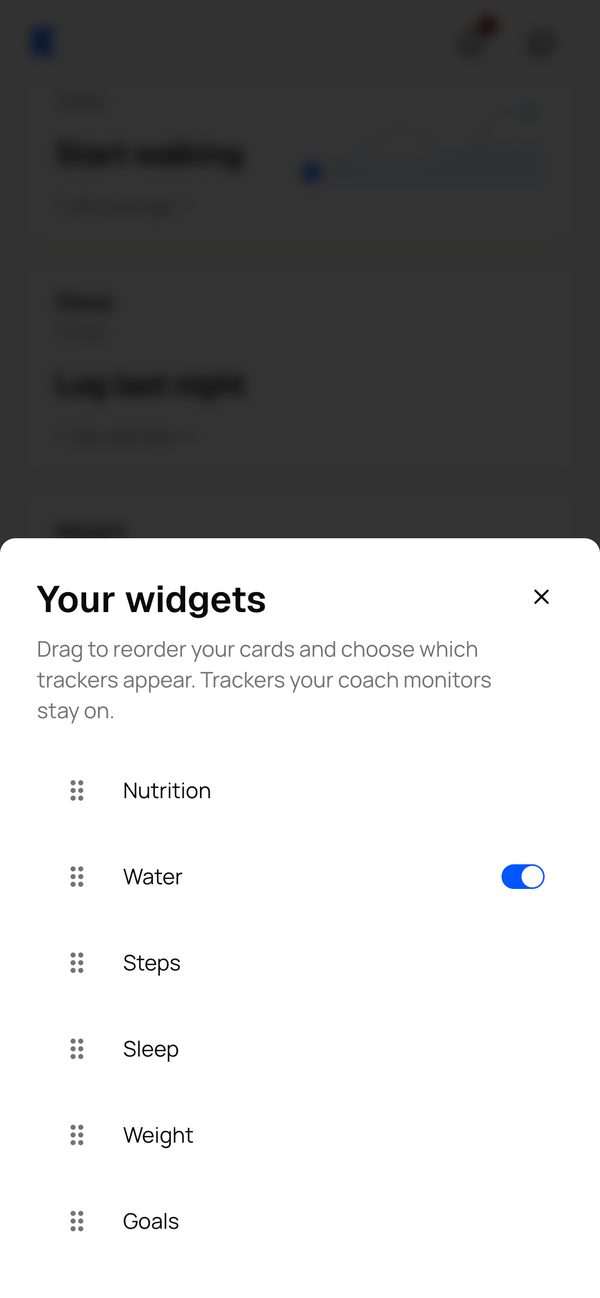
On every plan, clients drag their Home cards into the order they like and switch off trackers they don't use. Trackers you monitor stay on, so you never lose the numbers you coach from.
- Drag Home cards into their own order
- Trackers you monitor always stay on
- Quick-add button on the left or the right
A fixed menu, compared with yours.
How to set it up. One screen, one save.
- BHBen Hayesben@hayesperformance.coSettingsProfileApp settings1Open App settingsGo to App settings in your account menu and scroll down to Client menu.
- Menu 1CommunityMenu 2CoursesHome2Choose two destinationsPick Menu 1 and Menu 2. The phone preview updates as you choose.
- Unsaved changesAll changes savedSaveJTSPMCHome3Press SaveEvery client sees the new menu the next time they open the app.
Questions coaches ask. Answered.
Works well with
Build an app around the way you coach
“Try Kahunas for 3 months, not just 14 days. If you're not satisfied for any reason, message us in the chat and I'll personally refund you the same day.”
 Mark · Founder of Kahunas