Map out the whole season, not just this week
Plan each client's training phases on one Season track, and each phase's workout plan reaches them on its start day. A periodisation planner on every client's profile.





 WorkoutsJT
Your season plan lives in a spreadsheet.
You map out the build, the cut and the deload in Google Sheets. Then a block ends on a Sunday, the next program isn't assigned and the client messages to ask what's next. Assign it early instead and it sits in their app weeks before it should.
- Remembering every switch-overWhen a block ends, the next program only goes out if you remember to assign it that day.
- A plan that lives somewhere elseThe season sits in a sheet or a notebook, away from the client's profile and the rest of your team.
- Clients who skip aheadLoad next month's program early and clients can see it, or start it, before the current block is done.
Plan the season once. A periodisation planner that starts each block for you.
Step through the season. Pick a day to see what's live and what's still hidden.
- Strength baseStrength foundationsAug 3 — Sep 136 wkCompleted
- HypertrophyUpper lower splitSep 14 — Nov 88 wkCurrent
- Strength peakPower and peakNov 9 — Dec 64 wkUpcoming
- Gap · 3 wkAdd phase
- New yearFull body foundationsDec 28 — Jan 315 wkUpcoming
WorkoutsJTEach phase's workout plan is assigned on its start day, in the client's own time zone. Until then, the client can't see it.
See the whole season on one track.
Every client's Roadmap shows their phases on a Season track, with the gaps between them called out. Fill a gap with Add phase, or click any phase to edit it.
- Six months, 12 months or the whole plan
- Gaps shown in weeks, ready to fill
- Current, Upcoming and Completed at a glance
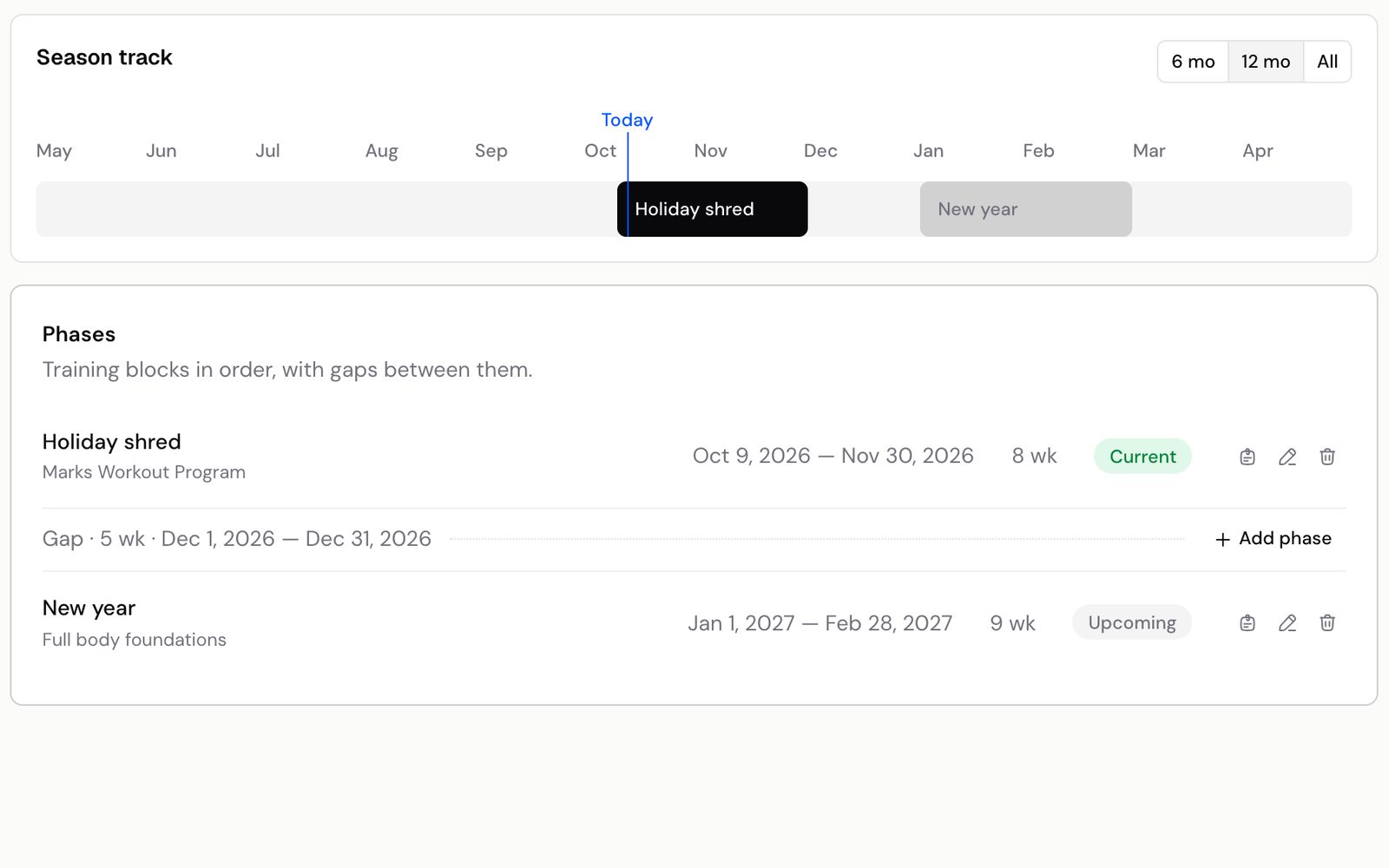
Each block goes live on its start day.
Pick a workout plan, set the start and end dates and add notes. On the start day Kahunas assigns the plan to your client automatically, so the next block is ready on day one.
- Future phases stay hidden from the client
- Move the start date and the plan follows
- Any workout plan from your team's library
- Strength foundations
- Upper lower split
- Power and peak
- Full body foundations
Google Sheets and reminders, compared with Kahunas.
How it works. It runs itself.
- WorkoutsRoadmapCalendarAdd phase1Open the client's RoadmapGo to any client's profile, open Roadmap and press Add phase.
- Strength peakPower and peakNov 9 — Dec 6
- Gap · 3 wkAdd phase
- New yearFull body foundationsDec 28 — Jan 31
2Add your phasesFor each phase pick a workout plan, set its dates and add notes. Gaps show up between phases.- Hidden until Nov 9Assigned on Nov 9TodayHypertrophyHypertrophyStrength peakStrength peak3Let it runEach phase's plan is assigned on its start day, and each client's Season track shows where they are.
Questions coaches ask. Answered.
Works well with
Plan further ahead for every client
“Try Kahunas for 3 months, not just 14 days. If you're not satisfied for any reason, message us in the chat and I'll personally refund you the same day.”
 Mark · Founder of Kahunas