Grow past what you can coach alone
Manage your coaching team in one place. Every coach gets their own login and only the access you choose, any client can have two coaches, and you can see who's keeping up.






- Awaiting first review · either coachDue Mon 17:00 · 8h 0m working time leftReviewed by Craig · Mon 10:12
- Craig asked Priya to check it too · Mon 10:12
- Waiting on Priya · Due Tue 10:12 · 8h 0m working time leftReviewed by Priya · Mon 14:05

Managing a coaching team from a spreadsheet leaks clients.
Your new coach logs in with your password. Who coaches whom lives in a Google Sheet that was out of date by Friday. A client messages you both, gets two different answers, and their check-in sits unread because each of you thought the other had it. You find out when they cancel.
- One login for everyoneYour coaches sign in as you, so they see every client, your revenue and your settings, and nobody knows who changed what.
- A sheet of who coaches whomIt's out of date the day you hire, and new clients wait while you work out which coach has room.
- Check-ins lost between coachesEach coach assumes the other replied, so a client waits days for feedback and starts to wonder what they're paying for.
Give every coach a login and every client a coach. Then see the whole team from one page.
What each coach can open. Pick one to see.
- ClientsView & edit
- TrainingView & edit
- NutritionView
- Check-insView & edit
- MessagingAccess
- BillingNone
- Business revenueOnly you
- Team seatsOnly you
View lets them see an area. View & edit also lets them make changes. They only ever see their assigned clients.
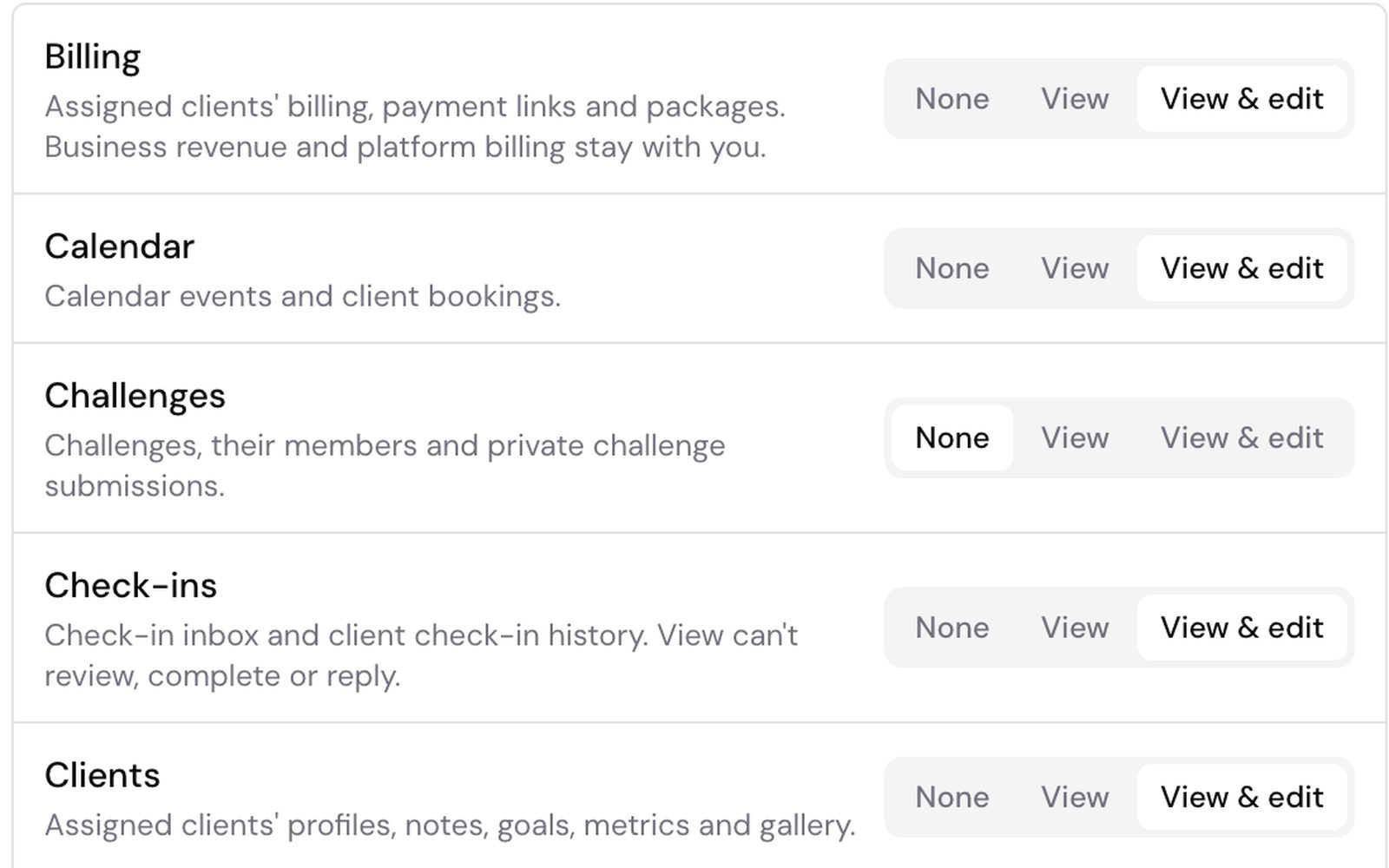
Give each coach exactly the access they need.
Choose None, View or View & edit for Clients, Training, Nutrition, Check-ins, Billing and more, one area at a time. Team-mates only ever see the clients assigned to them.
- Each coach signs in with their own account
- View-only coaches can read but never change
- Your revenue and team seats stay with you
Every check-in review has a coach and a deadline.
Give a client up to two coaches. Whoever reviews a check-in first is asked if the other should look too, and every review is timed in that coach's own working hours and time zone.
- Needs my review shows each coach what's theirs
- A review target of 8 working hours, or your own
- Pending reviews move to a replacement coach
- JTJess TaylorAwaiting first reviewDue Mon 17:00 · 5h 12m working time left
- SOSam OkaforOverdueAsked by Priya · Overdue by 1h 20m working time
- LMLeo MartinAwaiting first reviewDue Mon 15:30 · 3h 18m working time left
See which coach needs a hand.
Performance compares every coach on check-ins reviewed on time, reply times, client engagement and clients needing attention. Team-mates see their own numbers in My performance, never each other's.
- Check-ins reviewed on time, coach by coach
- Clients needing attention, with the reason
- Client ratings of each coach, seen only by you
- Craig LewisTraining coach96%14.9 / 5
- Priya ShahNutrition coach92%24.7 / 5
- Dan ReidTraining coach71%54.2 / 5
- Ella BrooksCheck-in review overdue since Mon 15:30
- Mia ChenNo activity in the last 7 days
- Tom HughesWaiting for a reply since Sun 18:20
Spreadsheets and shared logins, compared with Kahunas.
How it works. Three steps to add a coach.
- Add team memberFirst namePriyaEmailpriya.shah@gmail.comCreateInvitation pending1Invite a coachAdd their name and email, choose what they can see and do, and Kahunas emails them an invitation.
- Assign clients2 selectedJess TaylorShared with Craig LewisLeo MartinMia Chen2Assign their clientsPick clients from their page. Anyone who already has a coach shows who they'll be shared with.
- Check-in review target8Hours0MinutesWorking hoursMon–Fri09:00–17:00Europe/London3Set the standardSet your check-in review target and each coach's working hours, then follow it all on Performance.
Questions coaches ask. Answered.
Works well with
Grow your team without dropping a client
“Try Kahunas for 3 months, not just 14 days. If you're not satisfied for any reason, message us in the chat and I'll personally refund you the same day.”
 Mark · Founder of Kahunas