See every client's progress without a spreadsheet
Track client progress automatically. Every number and rating from check-ins, daily habits and initial Q&A becomes a chart, with start, end and average for any date range.





 Check-inJT
- Start
- 74.8 kg
- Average
- 74.0 kg73.9 kg
- End
- 73.1 kg72.8 kg
- Start
- 6
- Average
- 6.86.9
- End
- 78
- Start
- 6
- Average
- 5.35
- End
- 43
- Start
- 52 ms
- Average
- 55.5 ms56.1 ms
- End
- 59 ms61 ms

Progress shouldn't live in a spreadsheet you update by hand.
Every week you copy weights, sleep scores and stress ratings from forms into Google Sheets, then build a chart so a client can see they're moving. Fall behind and the trend breaks. Stop altogether and when a client asks whether it's working, you're guessing.
- Copy, paste, chart, repeatEach client's numbers go from a form into a sheet by hand, every single week.
- Trends you see too lateA slow slide in sleep or energy hides in a list of answers until it shows up in their results.
- Progress clients can't seeWhen clients can't see how far they've come, it's harder to stay motivated and easier to quit.
Every answer becomes a chart. Nothing to copy, nothing to build.
Pick a range. Start, end and average follow.
- Morning weightNumber, kg · lower is better · Daily habits−1 kg72.6kg
- Start
- 73.6 kg
- Average
- 73.3 kg
- End
- 72.6 kg
- SleepNumber, h · Daily habits+0.6 h7.6h
- Start
- 7 h
- Average
- 7.1 h
- End
- 7.6 h
- EnergyRating · Daily habits+28
- Start
- 6
- Average
- 7.8
- End
- 8
Need a different window? Pick your own start and end dates instead.
Track client progress in one table.
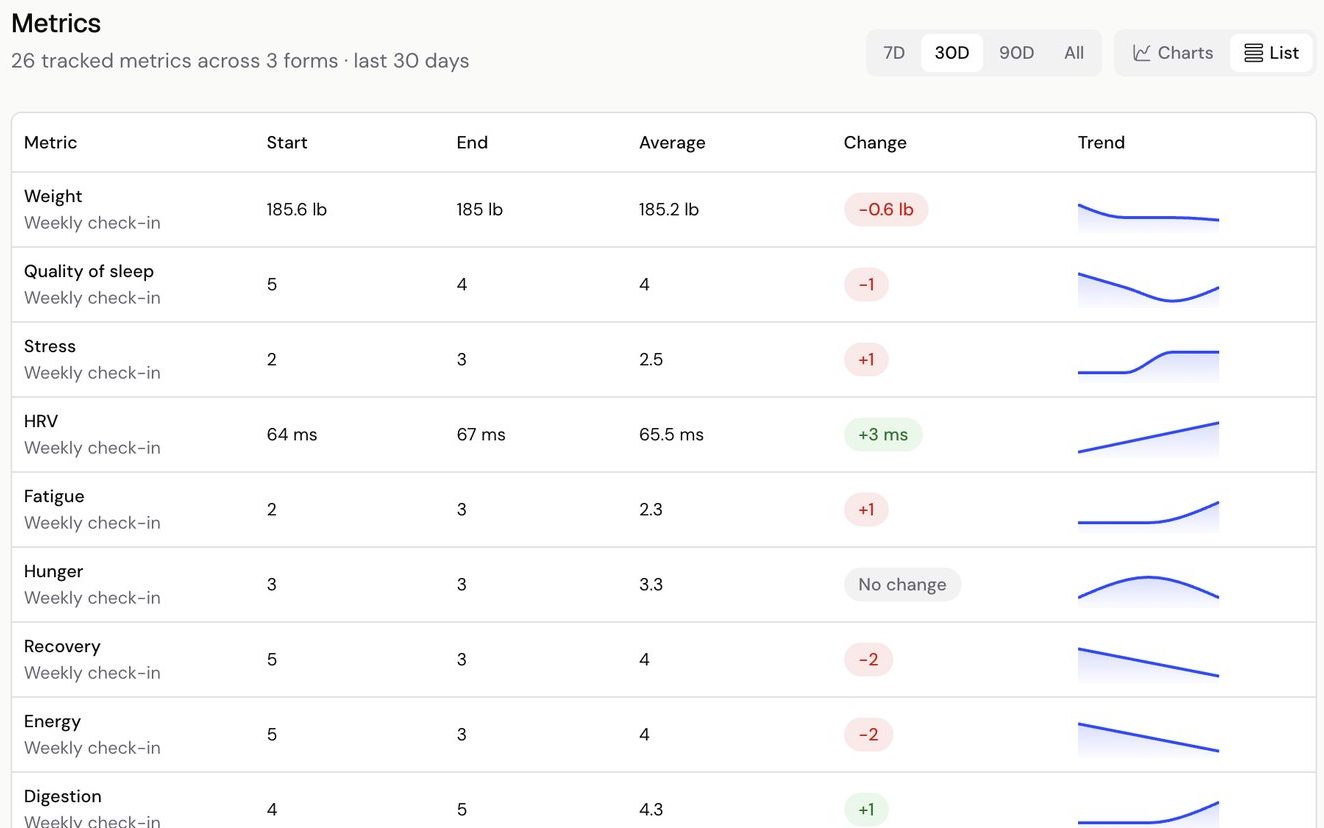
Switch Metrics to List and every metric sits in one table, with its start, end, average, change and a small trend line. It's the quickest read before you reply or pick up the phone.
- Charts or List, whichever you prefer
- Change shown for the range you pick
- Each metric labelled with its form
Show clients how far they've come.
Clients see the same answers under Progress in their app: their latest answer, the change since the start of the range, and their average, lowest and highest.
- One month, three months or all time
- Every check-in and daily habit number
- Weight, steps and sleep on the same screen
ProgressJTA spreadsheet of check-in answers, compared with Kahunas.
How it works. No charts to build.
- WeightNumberSleep qualityRatingNotesShort text input1Ask with numbersAsk for weight, sleep, stress or any other number on the forms you already send.
- Weight73.172.8kgSubmit check-inCheck-in submitted2Clients submitEach answer they submit joins that question's chart. No copying, no formulas.
- Morning weight7D30D90DAll
- Start
- 73.6 kg75.6 kg
- Average
- 73.3 kg74.3 kg
- End
- 72.6 kg
3Open MetricsPick a range and read the start, end and average, or switch to List for a quick table.
Numbers typed into a text question aren't charted, so use a number or rating question for anything you want to track.
Questions coaches ask. Answered.
Works well with
Show every client how far they've come
“Try Kahunas for 3 months, not just 14 days. If you're not satisfied for any reason, message us in the chat and I'll personally refund you the same day.”
 Mark · Founder of Kahunas