Book client sessions without the back and forth
A coaching calendar inside the app your clients train in. They request a time, you approve it in one click, and it lands in both your calendars. No message threads, no extra app.






Your coaching calendar shouldn't live in WhatsApp.
A client asks for a call. You offer three times on WhatsApp, they pick the one you gave away an hour ago, and the messages start again. Do that for every client, every week, and your evenings go on diary admin instead of coaching.
- Back and forth for every bookingThree or four messages to agree a time, then another round as soon as something moves.
- Clashes you spot too lateTimes agreed in chat never make it into one diary, so double bookings show up on the day.
- Another app to pay forA separate booking tool on top of your coaching software, with sessions kept apart from the plan they belong to.
Clients ask for a time. You say yes or no. Both calendars update the moment you do.
Sessions and training, on one calendar. Switch each layer on or off.
Workouts and cardio appear once a client logs them. Turn on Training phase to see a client's workout plan, with the workouts they logged inside it.
Know how full each day is before you say yes.
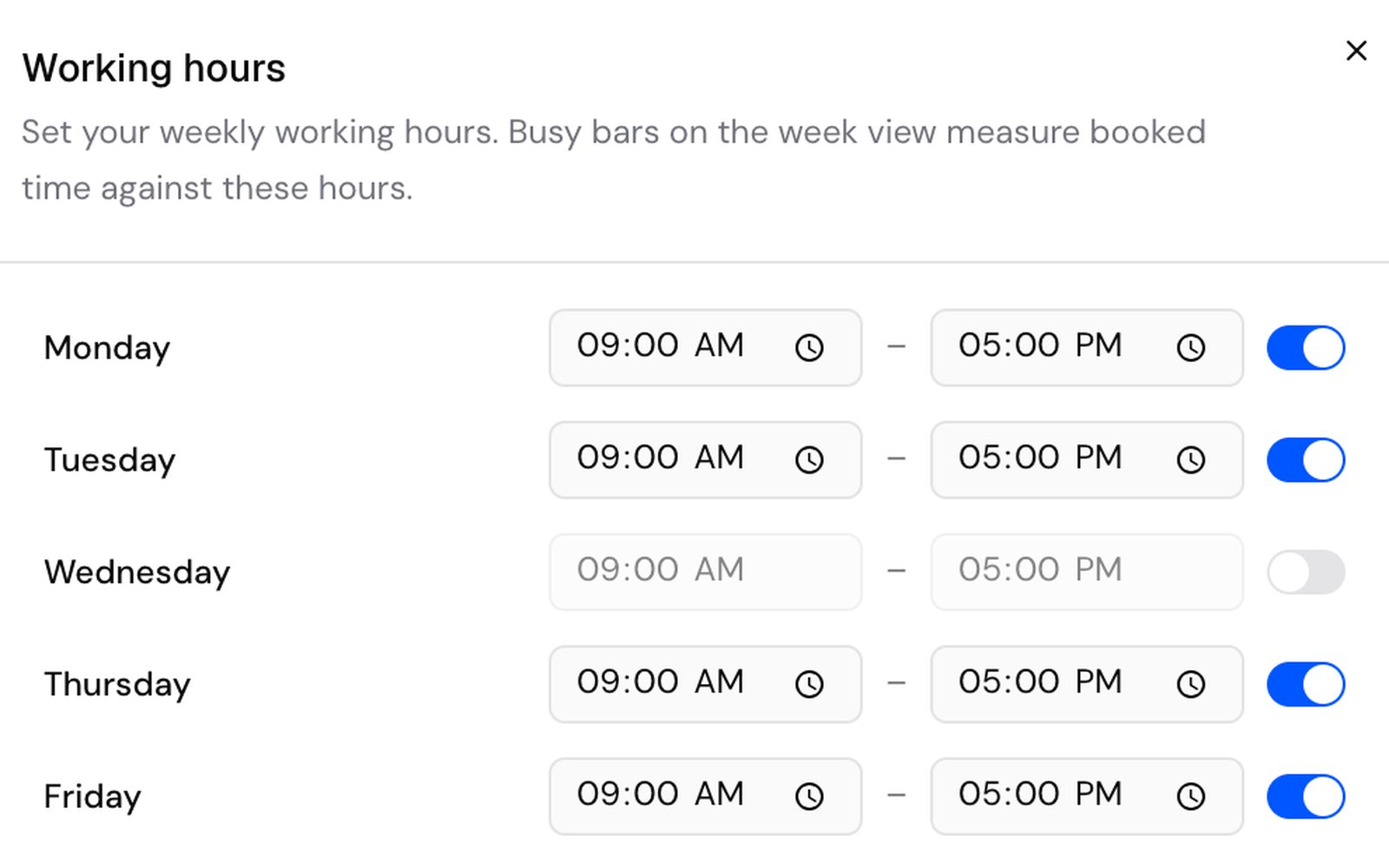
Set your working hours once. Busy bars on the week view measure booked time against them, and every client request flags anything it clashes with before you approve it.
- Pick your hours for each day of the week
- See how booked each day is at a glance
- Clashes flagged on every client request
Book one client or a whole group at once.
Add an event or a reminder, pick one client or several and set it to repeat daily, weekly or monthly until a date you choose. Each client sees it in their own app calendar.
- Repeat daily, weekly or monthly, until a set date
- Add a location, a colour or make it all-day
- Drag a session to a new day in Month view
Let clients request sessions from their phone.
Clients tap Request session in their calendar, pick a call, an appointment or an event and send the time that suits them. It shows as pending until you approve it.
- Clients can edit or cancel a pending request
- Nothing lands in your diary until you approve it
- Approve in one click, or decline
 CalendarJT
WhatsApp and a booking app, compared with Kahunas.
How it works. Set up in minutes.
- Working hoursMon09:0017:00Tue09:0017:00Wed09:0017:001Set your working hoursOpen Availability, switch on your working days and give each one a start and end time.
- Mobility classWeeklyJTSPMCSend reminder2Add your sessionsAdd an event for one client or several, set it to repeat and tick Send reminder.
- JTJess TaylorForm check callApproveDeclineMCMia ChenProgram reviewApproveDecline3Answer requestsClients send times from their app. Approve the ones that fit and decline the rest.
Questions coaches ask. Answered.
Works well with
Get your evenings back from booking messages
“Try Kahunas for 3 months, not just 14 days. If you're not satisfied for any reason, message us in the chat and I'll personally refund you the same day.”
 Mark · Founder of Kahunas