See every client's blood test results at a glance
Clients upload a PDF or photo of their lab report with their check-in. AI reads off every result, and anything outside the lab's range shows up in amber or red.






Blood test results shouldn't sit unread in your inbox.
A client emails their blood test as a PDF. You download it, scroll for the markers that matter, check each one against its reference range and copy a few into your notes. Months later the next report arrives and you go hunting for the last one to compare.
- Reports buried in emailPDFs and photos of results end up scattered across email threads and WhatsApp chats.
- Hard to spot what's offFinding the out-of-range markers means reading every line against its reference range.
- Nothing to compare againstWhen the next test arrives, the last one is somewhere in your downloads folder.
Every report, read into results you can scan. Anything outside the range stands out.
Every colour has a reason. Pick a result to see where it sits in the lab's range.
- In range
- Low end of range
- High end of range
- Just outside range
- Out of range
Colours compare each result with the range printed by the lab. They're a guide, not medical advice.
Spot what's out of range in seconds.
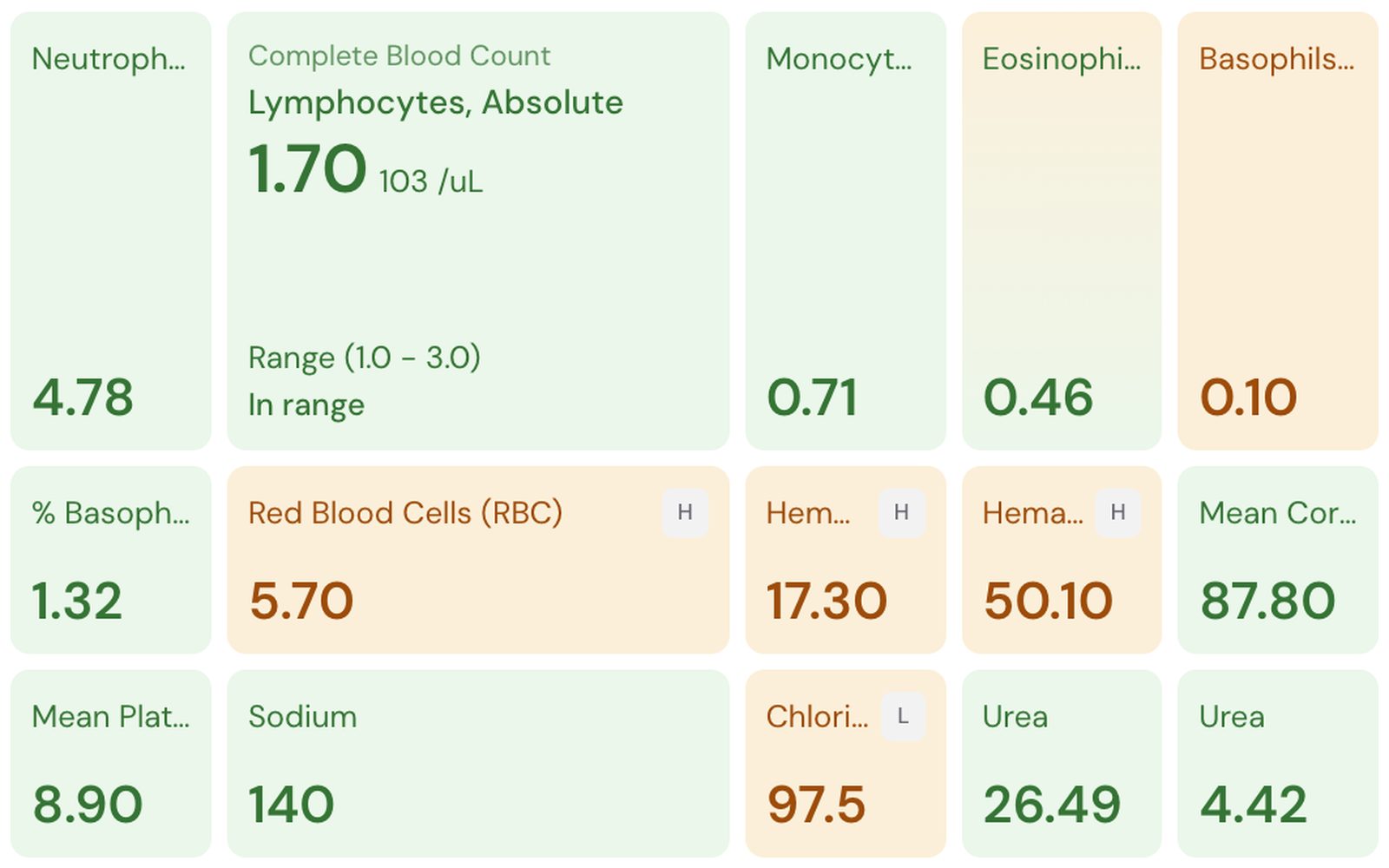
Grid view colours every marker against its own range: green when it's in range, amber near an edge or just outside, red when it's well out. Hover any tile to see its full name, unit and range.
- H and L flags from the lab's report
- Every result from the report as a tile
- Switch to List for the lab's own layout
Every report on the client's profile.
The Labs tab lists every report newest first, with the test date, the lab, how many results were read and how many the lab flagged. Click one to open it.
- Test date taken from the report itself
- Results and lab flags counted
- The original file one click away
- Oct 9, 2026Riverside Pathologybloods-oct.pdf—11—3ProcessingReady
- Jul 3, 2026Riverside PathologyIMG_4127.jpg112Ready
- Apr 12, 2026Northgate Clinicresults.pdf244Ready
- Jan 15, 2026Northgate Clinicbloods-jan.png241Ready
Collected in the check-in they already send.
Add a Lab results question to your check-in form. Clients attach a PDF or photo from their phone, and every file becomes its own report on their profile.
- PDF, JPG, PNG or WebP, up to 20 MB
- Usually ready in under a minute
- Read only with the client's consent
 Check-inJT
PDFs in your inbox, compared with Kahunas.
How it works. Switch it on once.
- LabsLab results clients upload in check-ins, read into a Labs tabLab results1Turn on LabsSwitch Labs on in Settings, then add a Lab results question to your check-in form.
- bloods-oct.pdfUploadingAttached2Clients uploadThey attach a PDF or photo of their lab report the next time they check in.
- Lab report · Oct 9, 2026HaemoglobinH17.3Ferritin38Fasting glucose5.1Vitamin DL18TSH2.13Read the resultsOpen Labs on their profile. Reports are usually ready in under a minute.
Colours compare each result with the range printed by the lab. They're a guide, not medical advice.
Questions coaches ask. Answered.
Works well with
Coach from the full picture, blood work included
“Try Kahunas for 3 months, not just 14 days. If you're not satisfied for any reason, message us in the chat and I'll personally refund you the same day.”
 Mark · Founder of Kahunas